In a world where screen real estate directly impacts productivity, the monitor you choose isn’t just a display—it’s your primary workspace. With 4K resolution becoming the new baseline for professionals, color accuracy and contrast now matter just as much as pixel count.
The Dell UltraSharp U2723QE Review 2026 enters this space with a promise: deliver reference-grade visuals, a powerful USB-C hub, and a clean, minimal desk experience—all in one package.
Table of Contents
The IPS Black Advantage
Dell’s use of IPS Black technology is the defining feature here—and it’s not just marketing fluff.
Traditional IPS panels typically hover around a 1000:1 contrast ratio. The U2723QE doubles that to ~2000:1, and in practice, the difference is immediately visible.
What does that actually mean?
- Blacks are noticeably deeper — not OLED-deep, but far less “grey wash” than standard IPS
- Shadow detail is preserved — critical for photo editing and content grading
- Better separation in dark UI themes — especially useful for developers and designers
When editing photos (especially RAW files), I found that shadow transitions were cleaner and more accurate. You’re not fighting the panel anymore to judge exposure or contrast.
For a minimalist, color-accurate workspace—like the ones featured in Best Desk Setup Ideas—this monitor fits perfectly. It delivers both aesthetic and functional precision.
Design & Connectivity
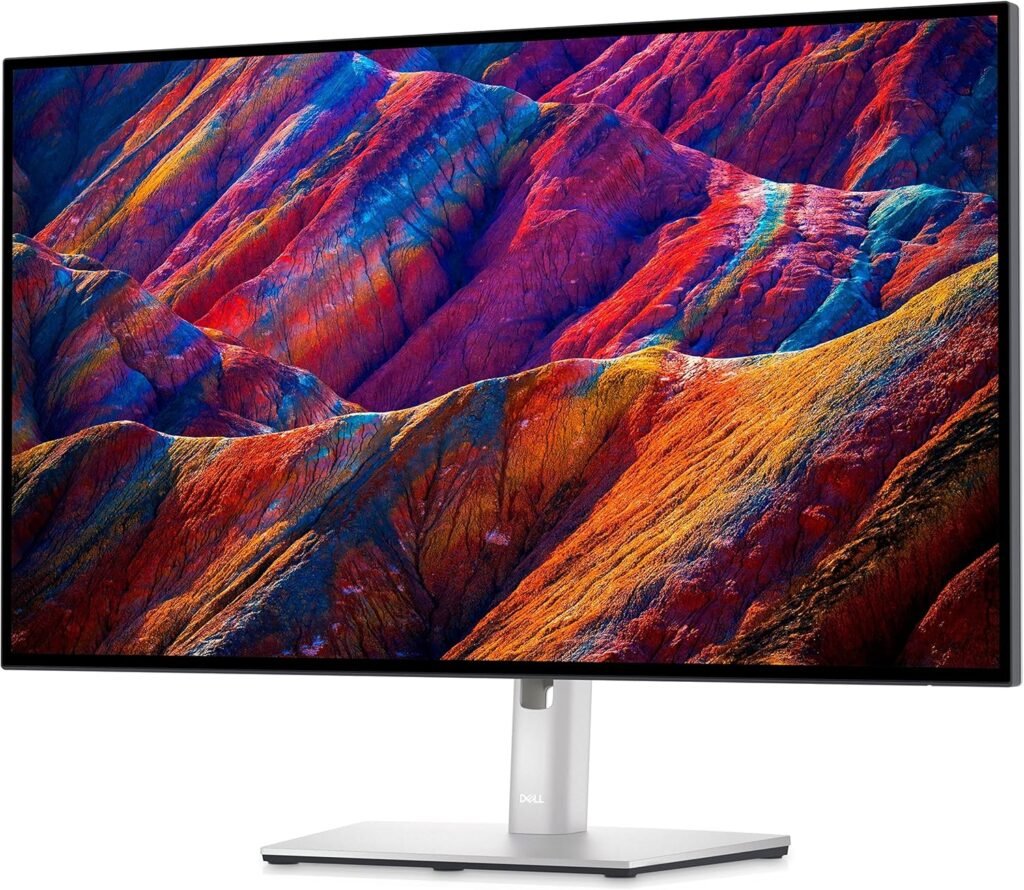
Dell UltraSharp U2723QE Review 2026 has refined its UltraSharp design language, and the U2723QE feels premium without being flashy.
Build Quality
- Matte silver finish with a professional, understated look
- Fully adjustable stand (height, tilt, swivel, pivot)
- Ultra-thin bezels → ideal for dual-monitor setups
The Real Star: USB-C Hub
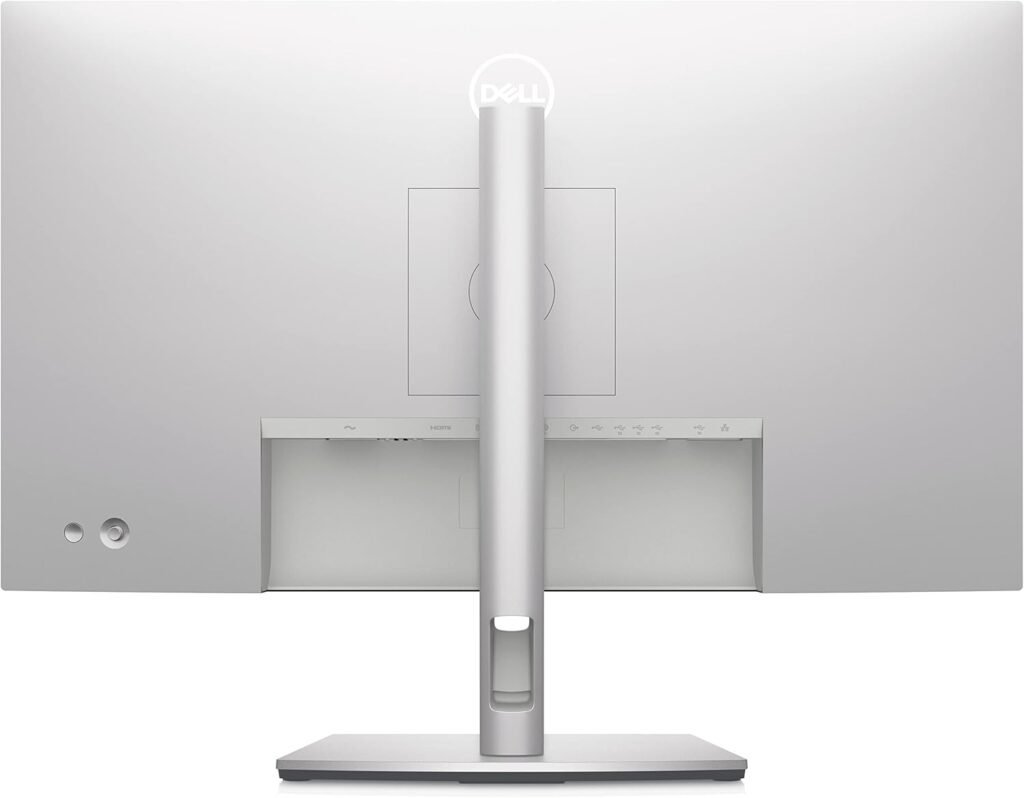
This is where the monitor becomes more than a display—it becomes your workspace command center.
With a single USB-C cable, you get:
- 90W power delivery (enough to charge most laptops, including MacBook Pro)
- Display signal (4K)
- Data transfer
- Ethernet connection (RJ-45 built-in)
Additional ports include:
- USB-A (multiple downstream ports)
- USB-C (front + rear)
- HDMI + DisplayPort
Real-world impact:
You plug in one cable—and your entire desk comes alive. Keyboard, mouse, internet, storage—all connected instantly.
No dock required.
Real-World Performance
Office & Productivity
This is where the Dell UltraSharp U2723QE Review 2026 dominates.
- 4K at 27” = sharp text clarity (163 PPI)
- Perfect scaling for macOS and Windows
- Long sessions feel easier on the eyes due to consistent brightness and color
Coding
- High contrast improves readability in dark themes
- Crisp font rendering reduces eye strain
- Vertical pivot mode is excellent for long code files
Creative Work (Light–Moderate)
- 98% DCI-P3 coverage
- Factory-calibrated color accuracy
For Dell UltraSharp U2723QE Review 2026:
- Photo editing → Excellent
- UI/UX design → Excellent
- Video editing → Good (but not HDR-focused)
Gaming (Let’s be honest)
- 60Hz refresh rate
- No high-end gaming features (like VRR focus)
It’s fine for casual gaming—but hardcore gamers will feel limited. This is a productivity-first monitor.
Who Should Buy Dell UltraSharp U2723QE Review 2026?
The U2723QE is built for professionals who want clarity, accuracy, and simplicity.
Ideal Users:
- Designers & photographers → benefit from IPS Black contrast
- Developers & programmers → sharp text + vertical mode
- Mac users → seamless USB-C integration
- Remote workers → one-cable docking setup
Pairing this monitor with a premium keyboard like the Logitech MX Keys S Review setup creates a top-tier productivity environment—clean, efficient, and distraction-free.
Another aspect worth highlighting is long-term usability. After extended sessions—8+ hours of coding, writing, and multitasking—the Dell UltraSharp U2723QE Review 2026 remains comfortable thanks to its consistent brightness and low blue light features. Dell’s ComfortView Plus works without noticeably shifting color accuracy, which is critical if you’re switching between productivity and color-sensitive work. In practical terms, this means fewer eye fatigue issues compared to cheaper panels that rely on aggressive blue light filtering.
Thermal performance and reliability are also solid. The monitor runs cool even under prolonged use, and there’s no distracting fan noise or coil whine—something professionals often overlook until it becomes a problem. Combined with Dell’s strong reputation for build quality and panel consistency in the UltraSharp lineup, this makes the Dell UltraSharp U2723QE Review 2026 a dependable long-term investment rather than just a spec-driven purchase.
Pros & Cons
✅ Pros
- IPS Black panel (≈2000:1 contrast) — best-in-class for IPS
- Excellent color accuracy (DCI-P3 coverage)
- 90W USB-C charging — true single-cable setup
- Built-in Ethernet port — rare and extremely useful
- Premium build quality and ergonomics
❌ Cons
- 60Hz refresh rate — not suitable for serious gaming
- Price sits in the premium tier
- No true HDR experience
Final Verdict
The Dell UltraSharp U2723QE Review 2026 isn’t trying to be everything—it’s trying to be the best productivity monitor, and it largely succeeds.
It combines:
- Industry-leading IPS contrast
- Reliable color performance
- A genuinely useful hub experience
For professionals, this is one of the most practical and refined 4K monitors you can buy in 2026.
Rating: 9/10