When you spend long hours at your desk, your monitor becomes more than just a screen — it becomes your workspace, your creative canvas, and your escape. The Alienware AW3423DWF takes a bold approach to that idea, blending QD-OLED technology with an ultrawide format to deliver one of the most visually striking displays on the market.
But here’s the honest reality: this is a gaming-first monitor adapting to productivity, not the other way around. And that makes all the difference.
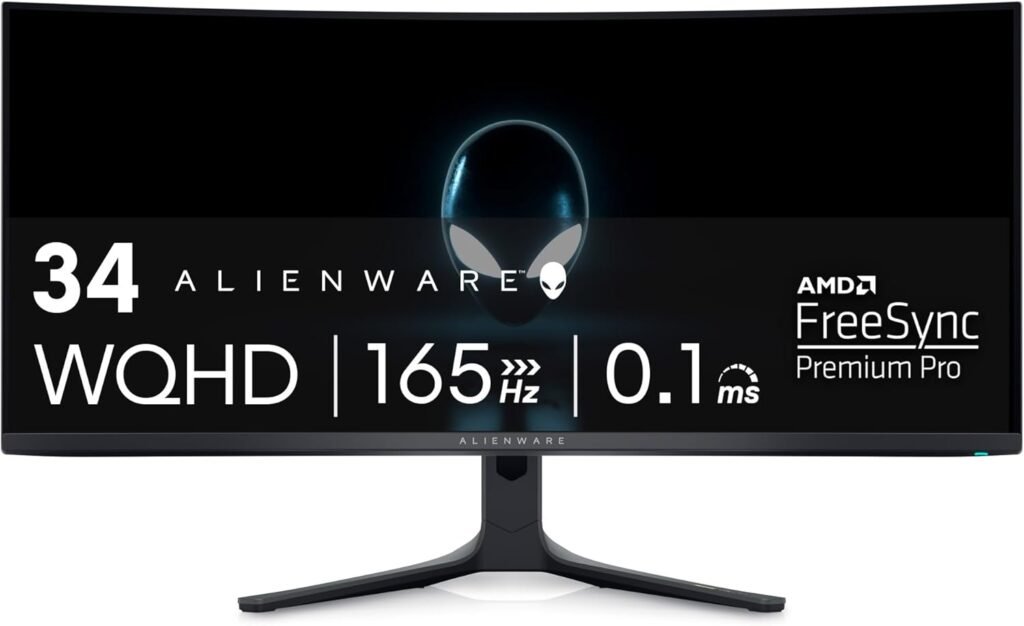
Table of Contents
The Alienware AW3423DWF “IPS Black”… vs OLED Reality
Let’s be clear: the Alienware AW3423DWF does not use IPS Black — and that’s actually a good thing.
Instead, it uses QD-OLED, which completely outperforms IPS (even IPS Black) in contrast:
- IPS Black ≈ 2000:1 contrast
- QD-OLED ≈ infinite contrast
In real-world usage:
- Blacks are true black (pixels turn off completely)
- No blooming or halo effects
- HDR content looks dramatically more realistic
One thing I immediately noticed during extended use is how OLED changes your perception of depth. With traditional IPS, even good ones, dark areas still feel slightly illuminated. Here, shadows have real separation, making windows, layers, and UI elements feel more dimensional — especially in darker environments.
Is it good for photo editing?
Yes — but with nuance:
- Excellent color accuracy out of the box
- Wide color gamut (great for creative work)
- Slight text fringing due to subpixel layout
👉 It’s great for creative work, but not as surgically precise as a 4K IPS panel for pixel-level editing.
Design & Connectivity
Alienware leans into a premium aesthetic — but with a clear gaming identity.
Build & Design
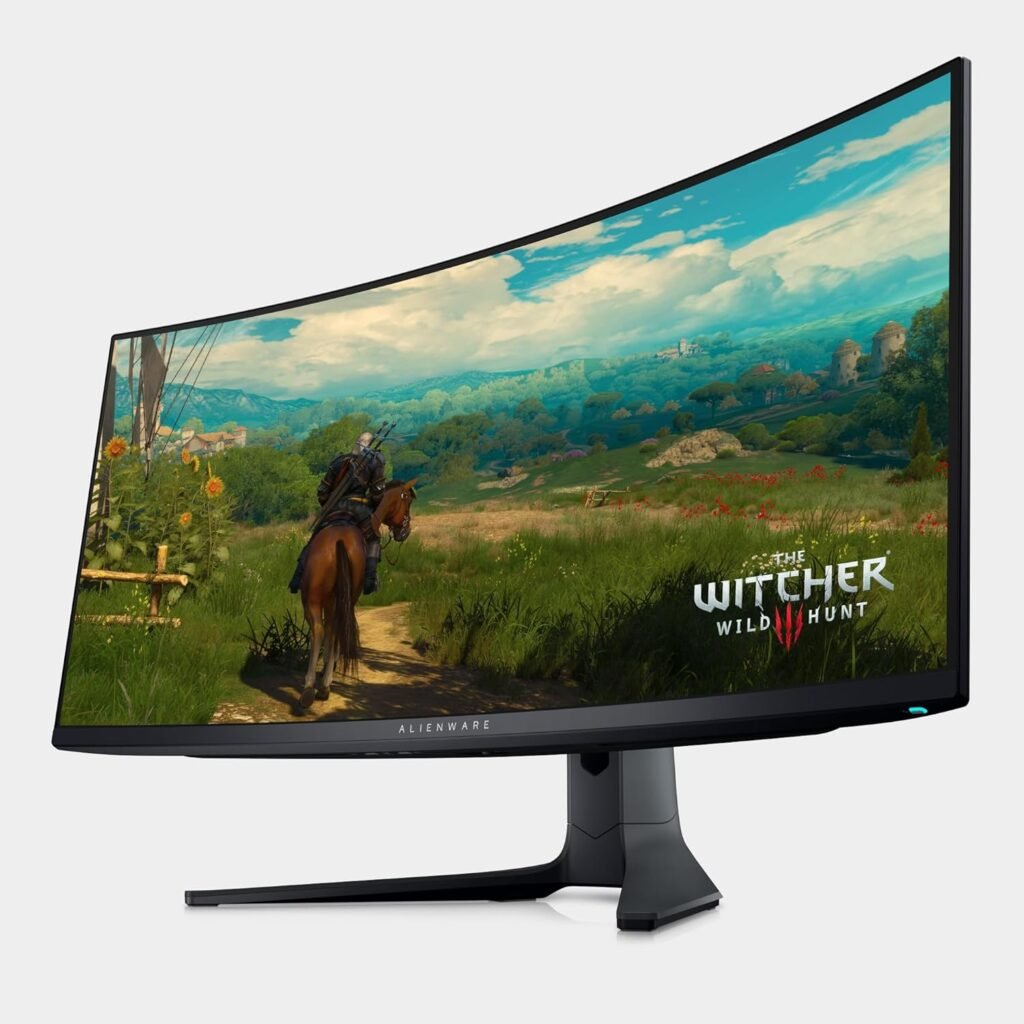
The Alienware AW3423DWF have :
- 34″ ultrawide (3440×1440)
- 1800R curve for immersion
- Solid construction with RGB lighting accents
It’s not minimalist — but it feels high-end.
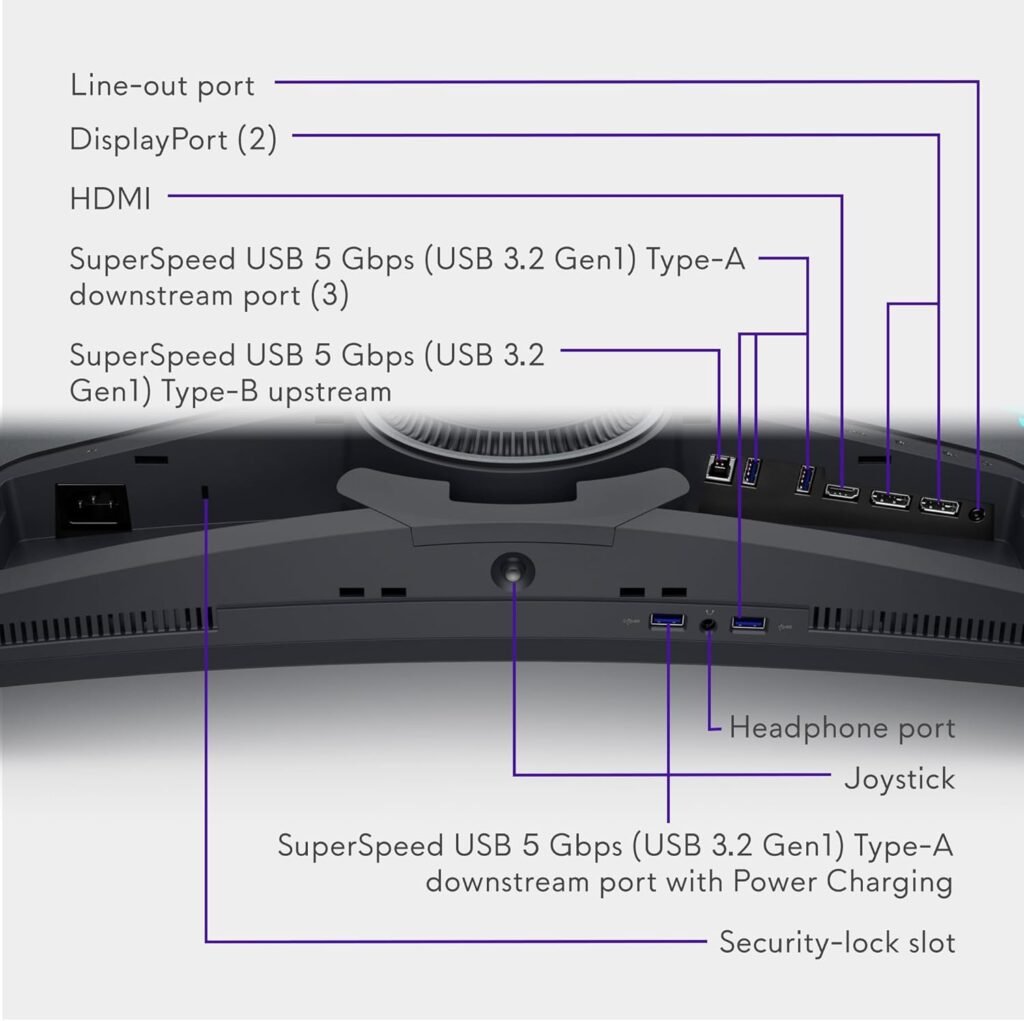
The Hub Experience
You get:
- DisplayPort + HDMI
- USB hub (multiple ports)
- Audio out
But here’s the limitation:
❌ No USB-C with power delivery
So you lose the “one cable does everything” experience (charging + display + data). For laptop users — especially MacBook workflows — this adds friction.
Another important detail is panel care. Because this is OLED, Alienware includes pixel refresh and pixel shifting technologies to reduce burn-in risk. These systems work quietly in the background, though very detail-oriented users might occasionally notice subtle adjustments during static use.
Real-World Performance
This is where the Alienware AW3423DWF truly separates itself.
Productivity & Work
- Ultrawide format replaces dual monitors
- Perfect for:
- Coding + documentation
- Excel + browser workflows
- Creative timelines
For multitasking, the Alienware AW3423DWF 34-inch layout creates a seamless workspace without bezels, which improves focus and flow. However, the vertical resolution (1440p) means you don’t get as much vertical space as a 4K monitor — something developers and analysts may notice.
Text clarity is good, but not class-leading due to OLED subpixel structure.
Gaming & Media (Where it dominates)
- 165Hz refresh rate
- ~0.1ms response time
- Near-zero motion blur
- Outstanding HDR performance
Everything feels faster, smoother, and more immersive. This is easily one of the best displays for gaming and cinematic content.
Who Should Buy This?
You SHOULD buy this if:
- You want a hybrid setup (work + gaming)
- You care about visual quality and immersion
- You love ultrawide workflows
It fits perfectly into a premium desk aesthetic like the ones in
👉 Best Desk Setup Ideas
You should NOT buy this if:
- You want:
- 4K sharpness
- USB-C single-cable workflow
- Pure office productivity
For a clean productivity pairing, a keyboard like
👉 Logitech MX Keys S Review
helps balance the setup with a more professional feel.
Pros & Cons
✅ Pros
- Infinite contrast (true blacks)
- Stunning HDR experience
- Extremely fast response time
- Immersive ultrawide format
- Excellent color performance
❌ Cons
- No USB-C (no single-cable workflow)
- Text clarity below 4K IPS
- OLED care features (pixel shifting, refresh cycles)
- Not ideal for static-heavy workflows
Final Thoughts Before You Buy
There’s also the question of long-term usage. If your workflow is heavily static — IDEs, spreadsheets, dashboards open all day — OLED requires a bit more awareness compared to IPS. That said, for mixed usage, this monitor delivers something most productivity displays cannot: enjoyment.
It transforms your desk from a functional space into an experience-driven setup.
Final Verdict
The Alienware AW3423DWF isn’t trying to be the best productivity monitor.
It’s trying to be something more ambitious:
👉 A premium, immersive display that makes both work and play feel exceptional
If that aligns with your workflow, it’s one of the most exciting monitors you can buy today.
Rating: 9.2 / 10