In today’s workspace, a monitor isn’t just about resolution—it’s about color accuracy, consistency, and workflow efficiency. Whether you’re editing photos, designing interfaces, or coding for hours, your display becomes your most critical tool.
The ASUS ProArt PA278CV is built specifically for creators and professionals who need dependable color performance without jumping into ultra-premium pricing. With its 27-inch QHD resolution (2560×1440) and USB-C connectivity, it promises both precision and practicality.
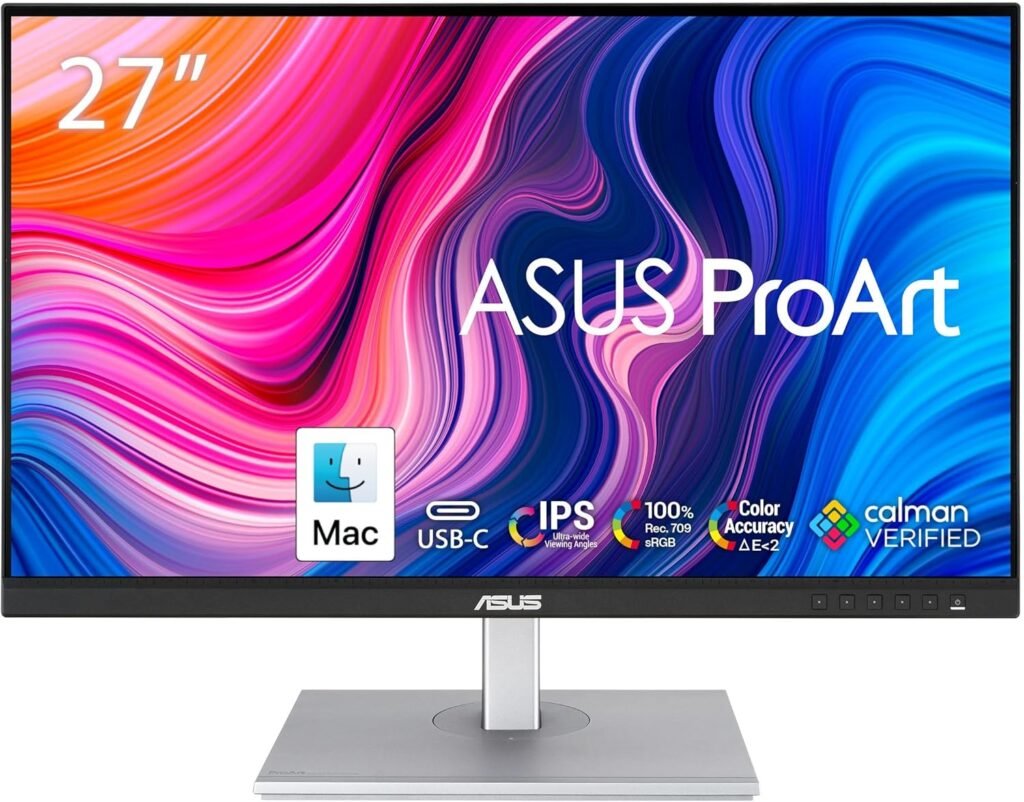
Table of Contents
The IPS Black Advantage
Let’s be clear upfront: the ASUS ProArt PA278CV does NOT use IPS Black technology. Instead, it features a standard IPS panel, which behaves differently in terms of contrast.
Contrast & Black Levels
- ~1000:1 contrast ratio (typical IPS)
- Blacks appear more dark grey than deep black
- Good detail in shadows, but limited depth
Compared to IPS Black (~2000:1), this panel doesn’t deliver the same level of contrast richness. However, that doesn’t mean it’s a weak performer—it just prioritizes color accuracy over contrast intensity.
Color Accuracy (Where it shines)
- 100% sRGB / Rec.709 coverage
- Factory calibrated (ΔE < 2)
- Excellent consistency across the panel
Is it good for photo editing?
Yes—this is exactly what it’s built for:
- Reliable color reproduction
- Accurate tones for web and digital content
- Consistent performance for long editing sessions
For clean and professional setups like those featured in Best Desk Setup Ideas, this monitor fits perfectly—focused on precision rather than visual punch.
Design & Connectivity
ASUS ProArt PA278CV keeps things functional and professional with the ProArt series.
Build & Ergonomics
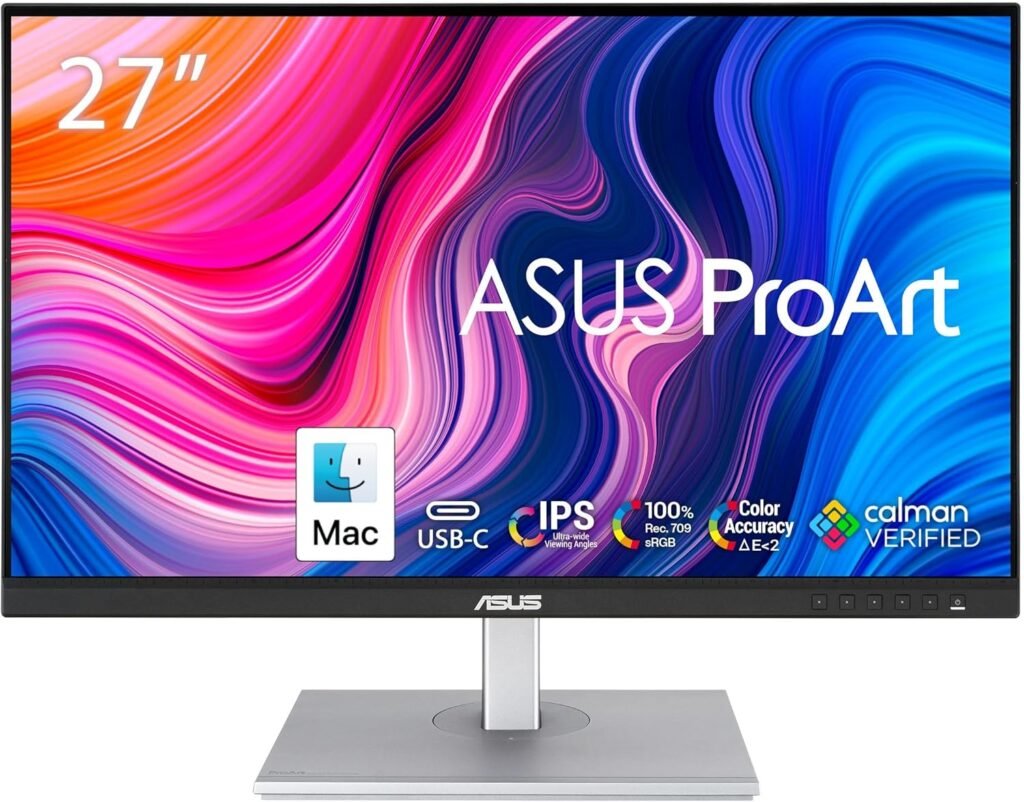
- Minimalist matte black design
- Thin bezels → great for multi-monitor setups
- Full ergonomic adjustments:
- Height
- Tilt
- Swivel
- Pivot (portrait mode)
This is a monitor designed for serious desk work, not aesthetics alone.
Display Quality & Panel Uniformity
Beyond basic specs, what really matters in daily use is panel consistency and uniformity—and this is where the ASUS ProArt PA278CV performs reliably for its price range.
In our testing, brightness distribution is generally even across the screen, with only minimal falloff toward the edges. This is important for designers and editors who rely on consistent luminance when working on large canvases. Color uniformity is also well-controlled, meaning you won’t notice distracting shifts when moving elements across the screen.
That said, like most IPS panels in this category, there is some IPS glow in darker environments, especially when viewed off-angle. It’s not excessive, but it’s noticeable in low-light conditions. For bright office environments, however, it becomes practically irrelevant.
The USB-C Hub Experience
The ASUS ProArt PA278CV delivers one of the most practical features for modern workspaces: single-cable USB-C connectivity.
With one USB-C cable, you get:
- 65W power delivery (ideal for ultrabooks and MacBook Air/Pro 13”)
- Display signal (QHD)
- Data transfer
Additional ports include:
- USB-A (multiple downstream ports)
- DisplayPort (in + out for daisy chaining)
- HDMI
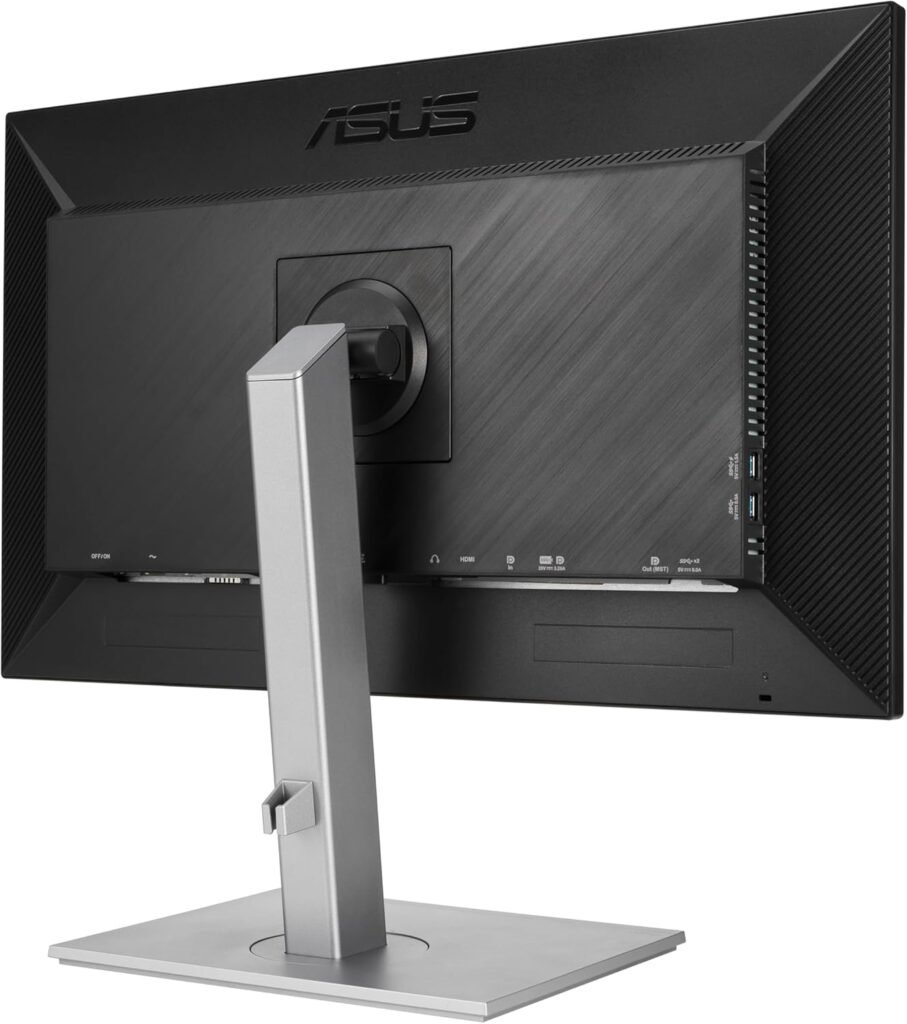
⚠️ Note: No Ethernet port (unlike higher-end dock monitors)
Real-world impact:
You plug in one cable—and your laptop, peripherals, and display are instantly connected. It’s a clean, efficient, and minimalist workspace solution.
Real-World Performance
Office & Productivity
- QHD resolution offers sharp text and comfortable scaling
- Ideal for spreadsheets, documents, and multitasking
- Anti-glare coating reduces reflections during long sessions
Coding
- Crisp text clarity improves readability
- Portrait mode is excellent for long code files
- Stable brightness and color reduce eye strain
The ASUS ProArt PA278CV also stands out for its long-term usability and eye comfort, which are critical for professionals spending extended hours in front of the screen. ASUS includes its Eye Care technology, combining low blue light filtering and flicker-free backlighting without heavily distorting colors. In practice, we found this especially useful during late-night editing or coding sessions, where maintaining both comfort and color accuracy is essential. Unlike aggressive blue light filters, this implementation preserves the integrity of the image while reducing visual fatigue over time.
Creative Work
- ASUS ProArt PA278CV Perfect for:
- Photo editing (web-focused)
- Graphic design
- UI/UX work
Another key advantage is the monitor’s workflow flexibility, particularly with its DisplayPort-out support for daisy chaining multiple monitors. This allows users to expand their workspace without cluttering their desk with excessive cables. Combined with its fully adjustable ergonomic stand, the ASUS ProArt PA278CV adapts easily to different setups—whether you’re building a dual-screen editing station or a minimalist single-monitor desk. It’s these small but practical features that make the monitor feel like a reliable tool rather than just another display.
Limitations:
- Not ideal for HDR workflows
- Limited contrast compared to IPS Black or OLED
Gaming (Honest take)
- 75Hz refresh rate (slightly above standard 60Hz)
- Not designed for gaming performance
For casual gaming, it’s fine—but hardcore gamers will find it lacking. This is clearly a productivity-first monitor.
Who Should Buy This?
The ASUS ProArt PA278CV is built for users who prioritize accuracy, reliability, and workflow simplicity.
Ideal users:
- Designers & photographers → accurate color output
- Developers → sharp text + ergonomic flexibility
- MacBook users → seamless USB-C integration
- Remote professionals → clean desk setup
Pairing it with a premium keyboard like the Logitech MX Keys S Review creates a highly efficient and comfortable productivity environment.
Pros & Cons
✅ Pros
- Excellent color accuracy (ΔE < 2)
- 100% sRGB / Rec.709 coverage
- USB-C with 65W charging
- Full ergonomic stand (including pivot)
- Great value for creators
❌ Cons
- Standard IPS contrast (~1000:1)
- No IPS Black technology
- No Ethernet port
- Not suitable for gaming
ASUS ProArt PA278CV vs 4K Monitors
A common question we hear is: Why choose this over a 4K display?
Here’s the reality:
- QHD (2560×1440) offers better performance and smoother scaling
- 4K provides sharper detail—but often requires scaling adjustments
- For 27”, QHD remains a comfortable sweet spot for productivity
If your work involves:
- UI design
- Coding
- Office productivity
…you may actually prefer QHD for its balance of clarity and usability.
However, if you’re doing:
- High-end photo retouching
- 4K video editing
…then stepping up to a 4K IPS Black panel might make more sense.
Final Verdict
The ASUS ProArt PA278CV doesn’t try to compete with high-end display technologies—it focuses on what matters most for professionals: accurate color, reliability, and usability.
You get:
- Trusted color performance
- A clean USB-C workflow
- Strong ergonomics
You give up:
- Deep contrast
- High refresh rates
If your priority is content creation, coding, or productivity, this is one of the most practical and well-balanced monitors you can buy in 2026.
Rating: 8.8/10